
PHP published urgent security releases on 21 October 2026 to address two critical vulnerabilities: CVE-2026-109618 and CVE-2026-109619. These flaws can enable remote code execution without an attacker first signing in. If your website uses PHP, treat patch verification as a priority, even when the site appears to work normally. This guide explains the advisory and the questions to ask your hosting provider; it is not a claim that any particular account has already been patched.
What are the two PHP security bugs?
CVE-2026-109618 concerns corruption around out-of-memory handling. PHP can be interrupted while internal request data is only partly initialized, and cleanup can subsequently handle that incomplete data incorrectly. This is an engine-level problem, not simply a mistake in a website’s contact form.
CVE-2026-109619 concerns stale global state. A persistent PHP worker can retain a reference to memory belonging to a previous request after that memory has been freed. A later request can encounter that stale reference before initialization resets it. The precise exploitation conditions depend on the application, extensions and server configuration.
Which PHP releases contain the fixes?
The PHP project identifies the following fixed releases for its supported branches. A hosting or operating-system vendor may instead provide a backported package, so a version number alone does not establish whether every vendor build is vulnerable or patched.
Ask for confirmation that the active installation includes fixes for both CVE identifiers. Do not install a release candidate merely because its version number is higher. Security patching within a supported branch and migrating an application to another branch are separate decisions.
- PHP 8.2: update to 8.2.35 or a later supported patched release.
- PHP 8.3: update to 8.3.36 or a later supported patched release.
- PHP 8.4: update to 8.4.27 or a later supported patched release.
- PHP 8.5: update to 8.5.12 or a later supported patched release.
WordPress, Laravel and hosting owners: who needs to act?
The official advisory covers PHP installations serving web requests, including PHP-FPM, Apache mod_php, php-cgi, FrankenPHP and LiteSpeed. PHP’s security team reports the highest demonstrated risk with mod_php, but using a different handler is not a reason to skip the update.
Updating WordPress, a theme or a plugin does not itself update the PHP runtime. Shared-hosting customers should ask their provider to verify the actual PHP installation serving their account. Administrators of VPS or dedicated servers should follow their supported vendor’s patch instructions and confirm that the running web workers use the updated runtime. Do not assume that checking command-line PHP alone proves the website uses the same installation.
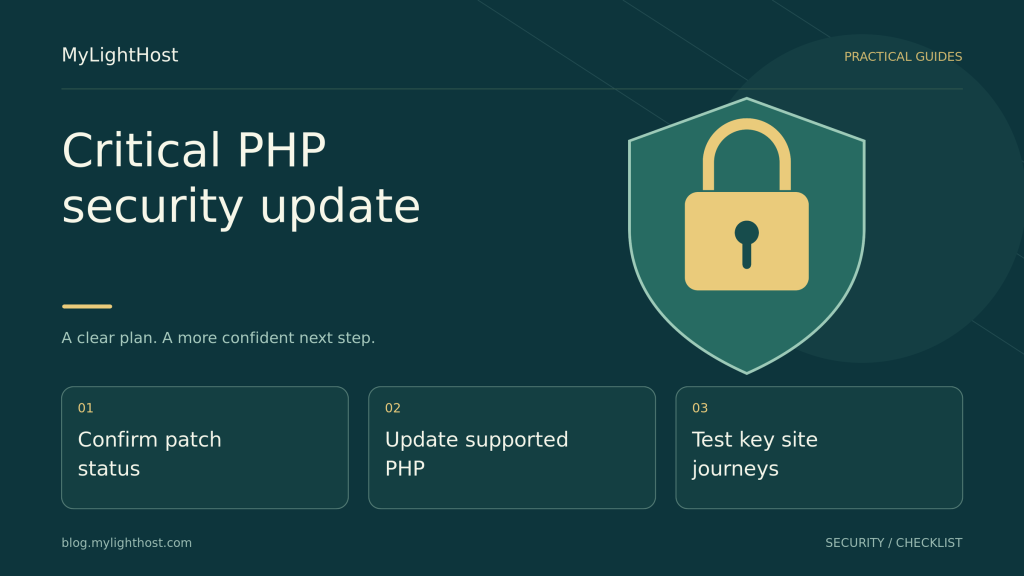
A practical patch-verification checklist
Confirm responsibility first: identify who maintains the operating system, PHP packages and web-server integration for your service. Preserve a current recovery point, and handle application compatibility checks promptly rather than letting a long migration project postpone an urgent security fix. When changing PHP branches, use an isolated staging copy where available and review application and extension compatibility.
A useful confirmation names the active PHP build, the vendor package or advisory that supplies both fixes, when it was applied and how the running website was checked. A hosting panel that displays only a branch label such as PHP 8.3 does not answer all of those questions.
- Confirm the PHP runtime and vendor patch status for the website, not just the server’s default shell command.
- Apply the supported security update and complete any vendor-required worker reload or restart through the responsible administrator.
- Check essential website journeys after the change and review new application errors.
- Retain the patch evidence and follow up on any accounts still using an unpatched installation.
Older PHP and temporary mitigations need extra care
PHP 8.1 and older no longer receive normal security releases from the PHP project. The team has supplied limited source backports for some older branches for this incident, and some vendors offer maintained fixes. Neither fact restores general upstream support. Confirm your vendor’s coverage and plan a migration to a supported branch. PHP 8.2’s upstream security support ends on 31 December 2026.
The advisory describes temporary measures that reduce particular attack paths, but it explicitly states that these do not make an installation safe. Generic configuration snippets are not a substitute for the complete patches. Avoid copying emergency memory or worker settings into shared hosting without the responsible administrator assessing the consequences.
What should you check after updating?
Test sign-in, contact forms, search, file uploads and scheduled jobs that your site actually uses. For a shop, include product pages, cart and the checkout flow through an appropriate test method; do not create an accidental live payment simply to prove a page works. Confirm that expected notifications and background tasks still operate.
A successful homepage request is not a full compatibility check, and applying a patch is not proof that a previously compromised site is clean. Equally, the existence of these vulnerabilities is not evidence that your own site was attacked. If you find suspicious activity, preserve evidence and obtain a separate incident assessment instead of treating a software update as complete incident recovery.
Plan your next step
MyLightHost customers can ask support to confirm the active PHP runtime and patch status for their own account. Include the website address and both CVE identifiers, but never send a password in a public comment. Keep the priority clear: verify both fixes promptly, then record the website checks and any remaining compatibility work.
Compare the current shared hosting options and confirm the requirements for your own website before ordering.
Source notes
PHP critical security advisory, 21 October 2026 · PHP supported versions and security lifecycle. Sources checked 2026-10-22.